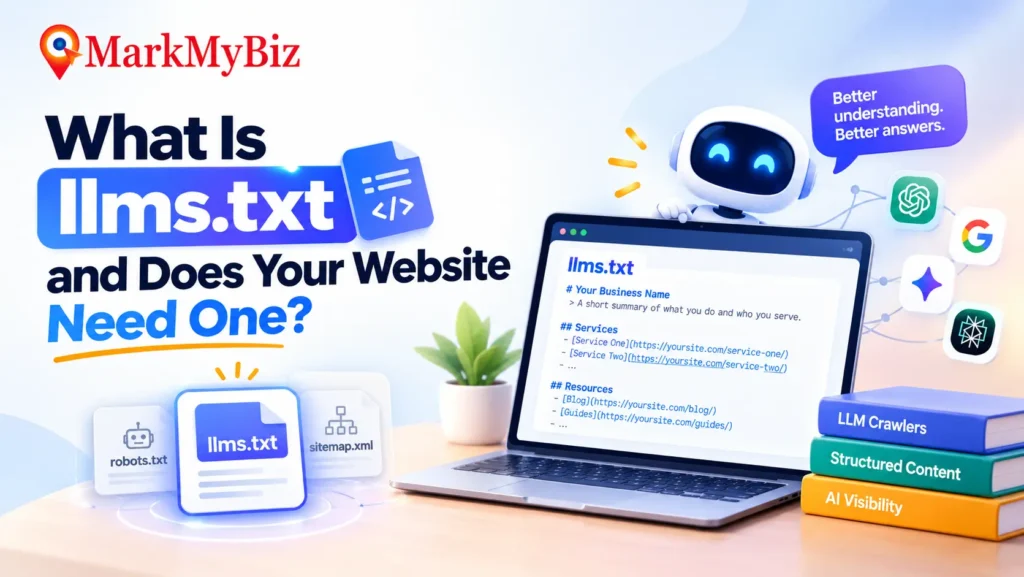
Open your website’s root folder and there’s a good chance you’ll find robots.txt sitting there, quietly telling search engine crawlers what they can and can’t touch. Over the past year or so, a new file has started showing up next to it: llms.txt. Same root folder, same plain-text simplicity — but it’s written for a completely different reader.
Quick Answer: What Is llms.txt?
llms.txt is a Markdown file placed at the root of a website (yourdomain.com/llms.txt) that gives large language models a short, curated map of a site’s most important content — a summary and a list of links, written for a machine to read in seconds instead of parsing an entire site’s HTML. It was proposed by Jeremy Howard of Answer.AI in September 2024, and it complements robots.txt and sitemap.xml rather than replacing either.
What Is llms.txt, Exactly?
AI models have a problem most people never think about: they can only hold a limited amount of information in their working context at once, and a real website — with its navigation menus, ads, cookie banners, and scripts — is a noisy, oversized thing to hand to a model that’s trying to answer a question quickly. llms.txt exists to solve that, by offering structured content for LLMs instead of raw HTML. It’s a plain Markdown file that opens with your site’s name, a one-line summary, and then a handful of labeled sections pointing to the pages that actually matter — your services, your key articles, your policies — each with a short description.
llms.txt vs robots.txt vs sitemap.xml
These three files sit in the same root folder and get confused constantly, so here’s the actual difference between them:
| robots.txt | sitemap.xml | llms.txt | |
|---|---|---|---|
| Audience | Search engine crawlers | Search engine crawlers | AI language models |
| Purpose | Directive — what crawlers may or may not access | Comprehensive — every indexable URL | Editorial — a curated shortlist of what matters |
| Format | Plain text, rule-based | XML | Markdown |
| Controls AI training or scraping? | No | No | No |
That last row is worth sitting with. None of these three files stop an AI company from using your content to train a model or generate an answer about it. If you’re trying to restrict that, it’s a separate and more complicated conversation involving crawler-specific rules and legal terms — not something llms.txt is built to handle.
Why llms.txt Exists
The idea came from Jeremy Howard, co-founder of Answer.AI, who published the proposal in September 2024. His reasoning was straightforward: language models increasingly lean on website content to answer questions, but two things get in the way. Their context windows are too small to hold an entire site at once, and real web pages are full of navigation, scripts, and layout code that has nothing to do with the actual content people are looking for. Ordinary AI crawlers still have to fight through all of that noise — without a curated file to work from, most fall back to a site’s sitemap, hit rate limits crawling broadly, and either stop early or stitch together an answer from incomplete information. llms.txt gives a model a shortcut instead — a clean entry point rather than a mess to wade through.
What Goes Inside an llms.txt File
The llms.txt format is deliberately simple. A basic file looks something like this:
# Your Business Name
> One-sentence summary of what you do and who you serve.

## Services
- [Service One](https://yoursite.com/service-one/): Short description of the service.
- [Service Two](https://yoursite.com/service-two/): Short description of the service.

## Resources
- [Blog](https://yoursite.com/blog/): Guides and articles on your topic.
There’s also a companion format called llms-full.txt, which bundles a fuller version of your content into a single file rather than just linking out to it. Most businesses don’t need the full version — the shorter, curated version usually does the job. For sites that want to go further, the original proposal also suggests publishing a plain Markdown version of key pages alongside the normal HTML ones, typically at the same URL with .md added, so yoursite.com/services/ has a matching yoursite.com/services.md. That level of detail matters more for large documentation sites than for a typical service-based business website.
One genuinely useful piece of advice, borrowed from teams who’ve built dozens of these files for documentation platforms: prioritize by frequency, not importance. Put the pages that answer 80% of the questions people actually ask in the first 20% of the file, rather than organizing it the way your internal site map happens to be structured.
How to Create an llms.txt File for Your Website
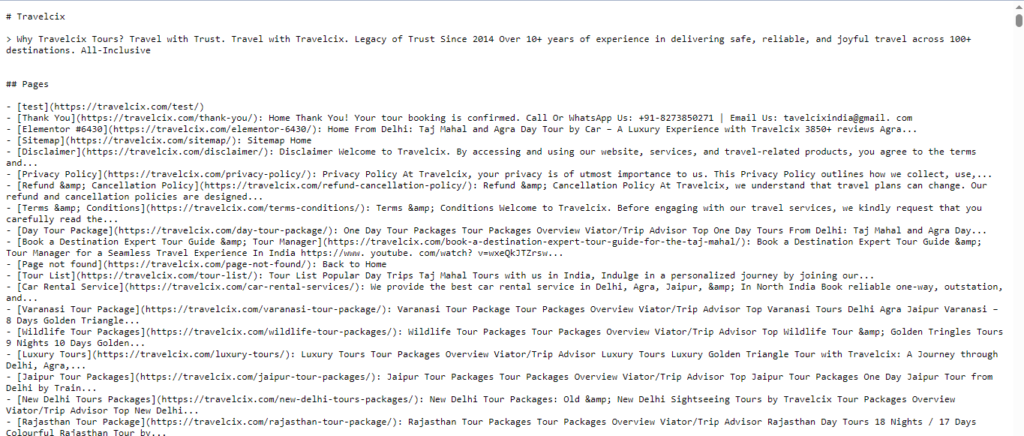
Here’s how to create llms.txt for your website, step by step — it doesn’t take much:
- Write a one-sentence summary of your business at the top, under your site name.
- Group your most important pages into a few labeled sections — services, key guides, policies, contact.
- Add a short, honest one-line description next to each link. Don’t pad it with keywords; the whole point of the file is clarity, not optimization tricks.
- Save it as plain text and upload it to your site’s root directory, so it’s reachable at yourdomain.com/llms.txt.
- Keep it updated. A stale file pointing to pages you’ve since removed does more harm than having none at all.
Does ChatGPT (and Other AI Tools) Actually Read It?
This is worth being straight about, because a lot of what’s written on this topic oversells it. llms.txt is a proposed standard, not a ratified one — there’s no governing body enforcing it the way there is with more established web conventions. As of now, none of the major consumer AI products — ChatGPT, Google’s AI systems, Gemini — have publicly confirmed that their retrieval systems read the file when answering questions. Some developer-focused tools and coding assistants have adopted it more directly, which makes sense given it grew out of documentation-heavy use cases in the first place.
What that means practically: publishing an llms.txt file isn’t a guaranteed lever for AI visibility, and it’s worth being skeptical of anyone promising it will get your business cited in ChatGPT. What it is: a low-cost, low-risk addition that takes little to maintain, fits naturally into a broader AI-readiness strategy, and positions a site well if and when adoption grows further.
Should Your Website Have One?
For documentation sites, SaaS products, and developer tools, llms.txt is close to essential — that’s the exact use case it was built for. For a typical business website, it’s less urgent but still worth doing, mainly because it’s cheap. A well-written llms.txt takes an afternoon, costs nothing to host, and works alongside the rest of your AI-readiness work rather than instead of it.
Who’s Actually Using llms.txt Right Now
Skepticism about adoption is fair, but it’s worth looking at who has actually shipped one. Anthropic, Vercel, Stripe, Cloudflare, and Cursor all publish and maintain one for their documentation. Vercel has reported that roughly 10% of its new signups now come through ChatGPT referrals — a concrete enough number that treating AI-referred traffic as a real channel, not a hypothetical one, is increasingly hard to argue against. A community-maintained directory now tracks thousands of live implementations.
Worth noticing: nearly every named example above is a developer tool or API platform, not a local service business — which lines up with the earlier point that this matters most for documentation-heavy products. Three organizing patterns show up repeatedly across them:
- Catalog (used by Stripe and Cloudflare) — grouped by product or feature, with a small number of high-value links per section and descriptive text on each one, rather than a bare page title.
- Index + full export (used by Anthropic and Vercel) — a slim llms.txt for quick, conversational lookups, paired with a larger llms-full.txt for tools that can handle deeper context.
- Focused workflow (used by Cursor and similar AI coding tools) — organized around what a developer is trying to accomplish right now, not around the site’s internal navigation structure.
None of this proves a specific AI product reads llms.txt files on every request — that confirmation still doesn’t exist. It does show that companies with real engineering resources to spend have judged it worth doing, which is a reasonable signal even without an official commitment from OpenAI or Google.
How to Check Whether AI Tools Are Reading Your File
There’s no dashboard that confirms this outright, but two rough checks help. First, look at your server or CDN access logs for requests to /llms.txt, and check the user-agent strings against known AI crawlers — GPTBot, ClaudeBot, and PerplexityBot are the ones to watch for. Repeat visits suggest something is at least fetching the file. Second, ask ChatGPT, Claude, or Perplexity directly to describe your business, then compare the answer against what your llms.txt actually says. Neither test proves causation, but a close match is a reasonable sign the file is playing some role.
Common llms.txt Mistakes
A few habits undercut the file before it does any good. Listing every page on the site instead of a curated shortlist defeats the purpose — the value is in the editing, not the completeness. Dead or renamed links inside the file are worse than no file at all, since they hand a model bad information with false confidence. Treating llms.txt as a way to block AI crawlers or protect content is a misunderstanding of what it does; it’s an invitation, not a gate, and has nothing to do with access control. And publishing it once and never touching it again means it slowly drifts out of sync with a site that keeps changing — the same problem that affects any piece of content nobody owns.
llms.txt Is One Piece of a Bigger Picture
On its own, llms.txt won’t get a business cited in AI Overviews or recommended by ChatGPT. It’s a small, complementary piece that sits alongside the things that actually move the needle: content structured so AI systems can extract direct answers, schema markup that makes structured data explicit rather than implied, and the kind of consistent, verifiable information that helps AI systems recognize a business as a real, trustworthy entity in the first place. Think of llms.txt as tidying the entrance, not renovating the house.
How MarkMyBiz Helps With AI-Ready Website Optimization
MarkMyBiz builds llms.txt files as part of a broader AI-ready website optimization process, not as a standalone fix sold on its own. Our llms.txt setup service starts with an AI visibility audit to see where a site actually stands with AI tools today — including a quick llms.txt audit for businesses that already have a file that may be stale, incomplete, or dumping every page instead of curating — then folds in llms.txt setup, schema, and content restructuring wherever it will genuinely help, as an AI SEO agency Dehradun businesses already work with, rather than shipping a file and calling the job done.
Want your site built for how AI tools are actually reading the web? Get in touch with MarkMyBiz — our GEO services Dehradun cover this alongside your existing SEO work, not as a separate project bolted on top of it.
FAQs
What is llms.txt?
llms.txt is a Markdown file placed at the root of a website that gives large language models a short, curated summary of the site’s most important content and links, so AI systems don’t have to parse full HTML pages to understand what a site offers.
Is llms.txt the same as robots.txt?
No. robots.txt tells search engine crawlers what they can and can’t access. llms.txt is written for language models and offers a curated content summary rather than access rules — the two serve different purposes and can both exist on the same site at once.
Do I need llms.txt if I already have robots.txt and a sitemap?
Yes, they’re not substitutes for each other. robots.txt and sitemap.xml are built for search engine crawlers; llms.txt is built specifically for AI language models and works alongside the other two, not instead of them.
Does having an llms.txt file guarantee AI visibility?
No. It’s a proposed standard, and no major AI product has confirmed it reads the file when generating answers. It’s a low-cost addition that fits into a broader AI-readiness strategy, not a guaranteed visibility lever on its own.
How do I create an llms.txt file?
Write a short summary of your business, group your key pages into labeled sections with one-line descriptions, save it as plain text, and upload it to your site’s root directory so it’s accessible at yourdomain.com/llms.txt.
Will ChatGPT and Google actually use my llms.txt file?
As of now, that’s not confirmed for either one. Some developer-focused AI tools have adopted it more directly. Treat it as a small, low-risk piece of a broader strategy rather than something guaranteed to change how ChatGPT or Google’s AI systems treat your site.
Are there real llms.txt examples I can look at?
Yes — Anthropic, Vercel, Stripe, Cloudflare, and Cursor all publish live ones for their documentation, and a community-maintained directory tracks thousands more. Looking at a real example from a company in a similar space is usually more useful than working from a generic template.
How do I know if AI tools are actually reading my llms.txt file?
Check server or CDN access logs for hits on /llms.txt from AI crawler user-agents like GPTBot or ClaudeBot, or ask an AI assistant to describe your business and compare the answer to what the file says. Neither is definitive proof, but both are reasonable signals.
Resources
- The /llms.txt file — Jeremy Howard, Answer.AI — the original 2024 proposal
- llmstxt.org — the official specification and format reference
- Real llms.txt examples from leading tech companies — a breakdown of live implementations from Anthropic, Vercel, Stripe, and Cloudflare
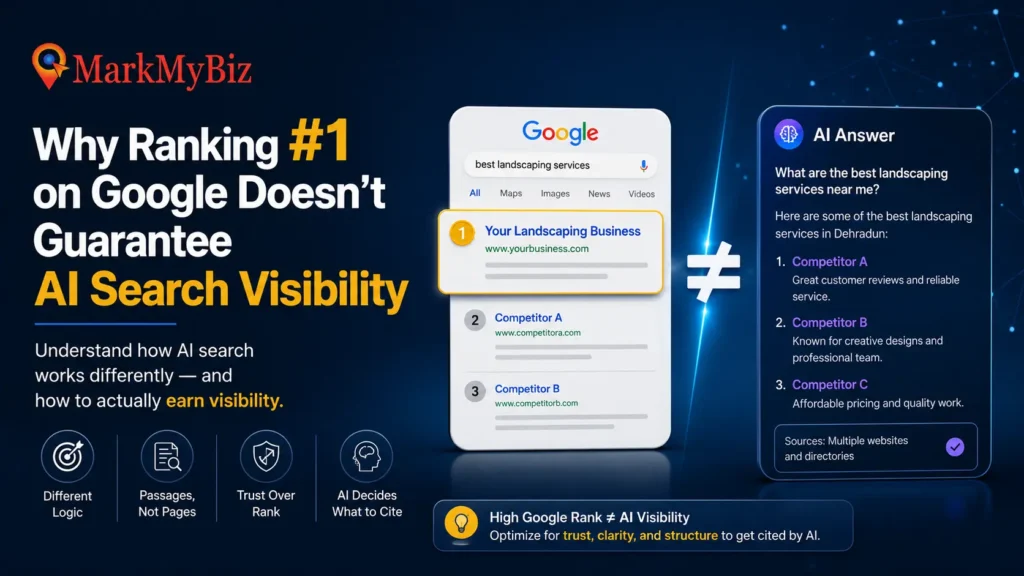
- Why Ranking #1 on Google Doesn’t Guarantee AI Search Visibility — the broader context this file fits into
- Google Search Central: General Structured Data Guidelines — the complementary technical standard search engines formally support
Conclusion
llms.txt is a small, honest addition to a website — not a magic switch for AI visibility, whatever some of the more excitable coverage of it suggests. It costs little to build, does no harm, and fits naturally alongside the content structure, schema, and entity work that actually determines whether AI systems trust and cite a business. If that bigger work is already underway, adding an llms.txt file is a cheap next step. If it isn’t, it’s worth starting with the bigger pieces first.
If you want help building an AI-ready website from the ground up, MarkMyBiz’s SEO services now cover llms.txt setup alongside AEO, schema, and traditional SEO — built for how sites are actually being read in 2027.