A customer is standing outside your Rajpur Road branch, phone in hand, searching “salon near me.” Google shows them your Haridwar listing instead — wrong hours, wrong number, an hour away. They don’t call to double-check. They just tap the next result.
This happens constantly, and it’s rarely a Google problem — it’s a setup problem. A Google Business Profile for multiple locations doesn’t behave the way most owners assume, and shortcuts that worked fine for one branch create new problems the moment you open a second, third, or tenth.
Whether you’re running two locations or twenty, here’s how to set up, structure, and optimize your Google Business Profile for multiple locations — so every branch shows up for its own searches, in its own neighbourhood, without quietly pulling traffic away from the others.
| About This Guide: Written by the MarkMyBiz team — a Dehradun-based digital marketing and local SEO agency that sets up, verifies and manages Google Business Profiles for multi-location brands across Uttarakhand and North India. Everything below comes from live client accounts, not theory. |
Why a Multi-Location Google Business Profile Behaves Differently
Google doesn’t see your brand as one business with several addresses. It sees each address as its own local entity, with its own relevance, its own distance from the searcher, and its own reputation to earn.
The instinct is to copy what worked for the first profile and repeat it everywhere — same description, same photos, same category list, same keywords in every listing. It feels efficient. It’s also exactly why branches end up buried. Google can’t tell which one deserves to rank for a given search, so it hedges: showing none of them prominently, or showing the wrong one to the wrong customer.
Local SEO for multiple locations works when every listing is treated as its own small business that happens to share a brand name with the others. Multi-location Google Business Profile management is less about one big strategy and more about the same disciplined setup, repeated honestly, branch by branch.
Set Up Each Location the Right Way From Day One
Google doesn’t allow one profile to represent multiple branches. Every physical address that serves customers in person needs its own separate, verified profile. Service-area businesses without a public storefront follow different rules, so confirm which fits before creating listings.
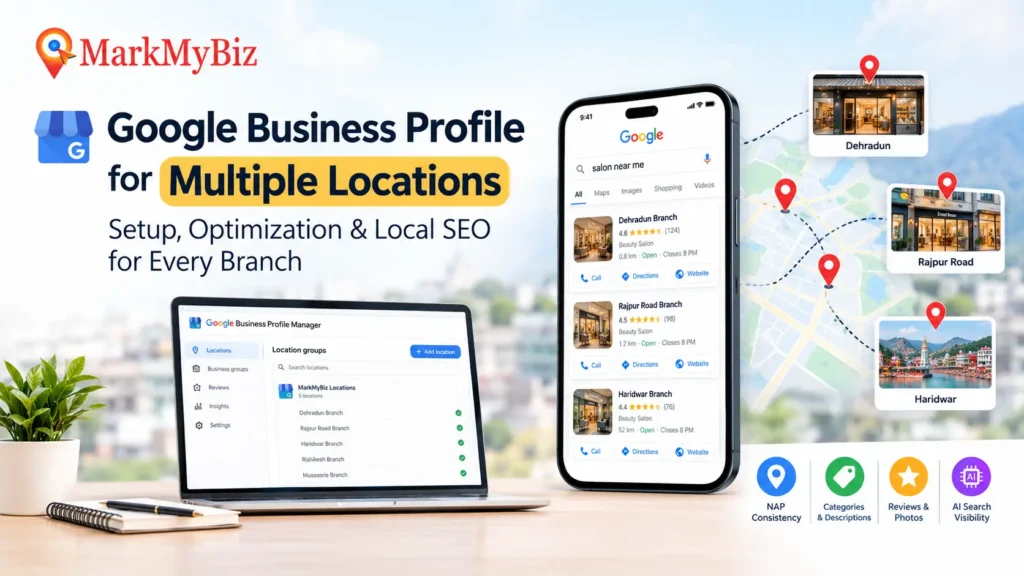
Adding two to nine locations? Manage them through Business Groups inside Business Profile Manager — one dashboard holding every listing, with a manager assignable to each branch, so nobody is logging in and out of separate accounts all day.
Cross ten locations, and bulk verification is worth applying for instead of waiting on postcards for every branch. You create a location group, upload a spreadsheet formatted to Google’s template, and Google reviews the whole batch together once it confirms you’re the legitimate operator. Locations added afterward usually inherit that verified status automatically.
Worth flagging: Google has leaned harder into video verification lately, so have your signage, interior, and a live action ready to film before you start — a rejected first attempt slows down every review after it.
And before verifying anything, clean house. Search your brand name plus each city and look for old, duplicate, or “permanently closed” listings nobody removed. Duplicates are one of the fastest ways to lose a local pack spot you already worked to earn.
Get NAP Consistency Right — It’s the Foundation Everything Else Sits On
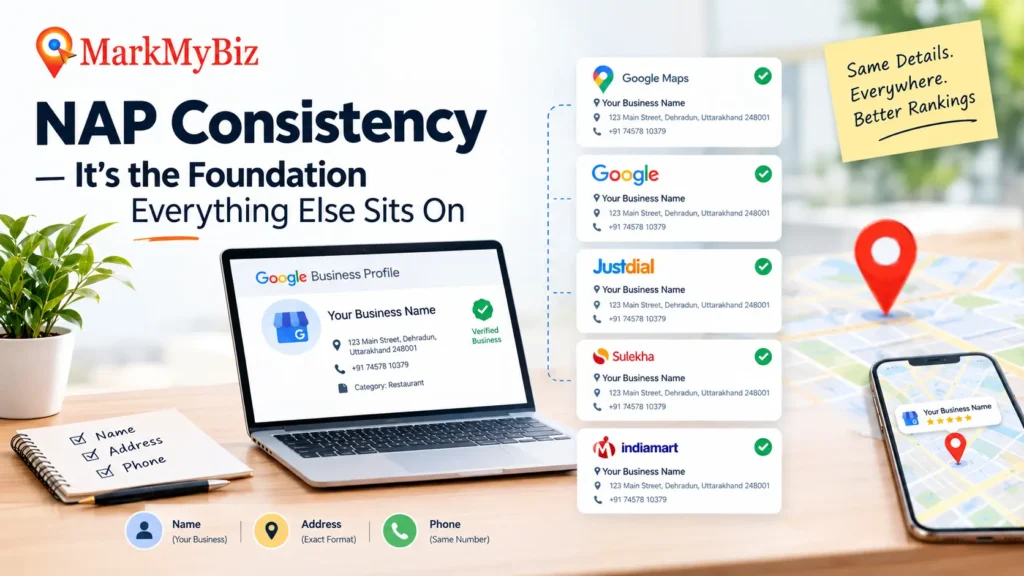
NAP — your Name, Address, and Phone number — needs to match exactly across every Google Business Profile, your website’s location pages, and every directory that lists you. Not close enough. Exactly.
“Main St” on one listing and “Main Street” on another feels trivial. To Google, it can read as a signal that it’s looking at two different businesses, and this kind of small inconsistency is one of the more common reasons local rankings stall for growing brands. It confuses real customers too, the moment they cross-check your number against what’s printed on your website.
Run a simple audit: pull up every location’s profile next to your site’s contact pages and the directories you’re listed on — Justdial, Sulekha, any industry-specific ones — and compare them side by side. Fix mismatches location by location rather than in one rushed bulk edit, which is usually how new inconsistencies sneak back in. NAP consistency is unglamorous work, but no amount of Google Business Profile optimization further down the list makes up for getting it wrong.
Choose Categories and Write Descriptions That Don’t Read Like Copy-Paste
Your primary category should stay consistent across every location — it tells Google what kind of business you fundamentally are. Pick the narrowest category that’s still accurate, not the broadest one that sounds impressive. Secondary categories should reflect what that specific branch actually offers; if only your Rajpur Road clinic runs a particular service, don’t tack that category onto every other listing just to widen your net. Google notices the mismatch the moment a customer shows up expecting something that isn’t there.
The business description is where most multi-location profiles quietly fail. Writing one paragraph and swapping the city name five times makes every branch feel interchangeable, to customers and to Google alike. Give each location a description that mentions something real about it — the team, the street it sits on, what actually makes that branch worth the visit.
Stop Your Locations From Competing With Each Other
This is where most multi-location strategies quietly fall apart. If five branches all target “best [service] near me” with near-identical pages and profiles, you’re not out-ranking competitors — you’re out-ranking yourself. Google can’t decide which of your own pages deserves the click, so it often demotes all of them rather than picking a winner.
Give every location a clearly defined job instead:
- Build one page per location under a consistent URL pattern, like /locations/dehradun/, rather than a flat list — it helps Google read your geography at a glance.
- Let broader topics, service explainers, and FAQs live on one central page instead of being duplicated across every branch.
- Fill each location page with details Google can’t find anywhere else — staff names, local landmarks, branch-specific reviews, photos taken at that address.
- Link nearby branches to each other naturally, something like “also serving [nearby area],” instead of stuffing the same city names into every page’s copy.
Do this consistently and local search visibility improves across the whole brand, because every listing is now answering a genuinely different question instead of the same one five times over.
Build Trust at Every Branch With Reviews, Photos, and Local Activity
Each profile earns its own reviews, which is a good thing — one slow month at one branch doesn’t drag the rest of the brand down. But it also means reviews can’t be set up centrally and left alone. Every location needs someone responsible for requesting them and replying, good and bad, in a way that sounds like a person at that branch rather than a corporate line copied across twenty replies.
The same goes for photos and Posts. A profile with real, recent photos from that particular location consistently climbs higher in Google Maps rankings than a bare listing propped up with generic brand imagery. Posting local updates and offers from each branch keeps Google confident the profile is actively managed, not abandoned the day it was verified.
Check Insights for each location on its own, not only in aggregate — a brand-wide average can easily hide two branches quietly losing visibility while the rest of the network carries the numbers.
Make Every Location Ready for AI Overviews and Generative Search
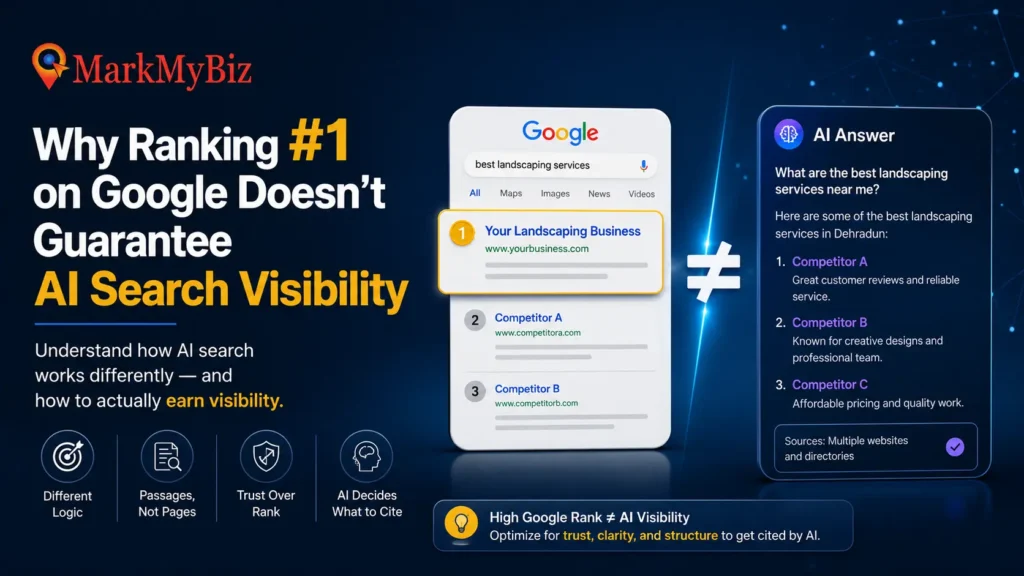
This is the part that’s changed most recently. Google’s AI-driven results — AI Overviews, AI Mode, and increasingly tools like ChatGPT and Gemini — lean heavily on Business Profile data to decide what to say about a business and when to recommend it. Google’s own team has described GBP as a grounding source for AI answers. An incomplete profile doesn’t just cost a ranking spot anymore; it creates a gap in what an AI tells a potential customer about you.
The reassuring part: the fundamentals barely change. A profile that’s fully filled out, accurately categorized, and consistent across every field is already doing most of the work for both traditional Google Maps SEO for multiple locations and this newer AI layer sitting on top of it. Adding LocalBusiness schema markup to each location page reinforces, in a format machines read cleanly, the same facts your GBP already states. That agreement between your structured data, your website, and your profile is what builds the confidence AI systems need before recommending you by name.
A Quick Gut-Check Before You Scale Further
- Every address has its own verified, non-duplicate profile
- NAP matches exactly across GBP, website, and directories
- Categories stay consistent brand-wide but stay honest per location
- Descriptions and photos are unique to each branch, not templated
- Location pages target different intent than corporate or service pages
- Reviews are being requested and answered at every branch, not just the flagship
If more than one of these is shaky, that’s where visibility is leaking out — fix it before anything more advanced.
Frequently Asked Questions
Can one Google Business Profile cover multiple branches?
No. Google requires a separate, verified profile for every address serving customers in person. One listing representing several branches typically gets suspended, or fails to show the right location to the right searcher.
Does having multiple locations hurt local SEO?
Not on its own. It’s a problem only when locations are set up identically and end up targeting the same searches. Structured correctly, more locations generally means more local search visibility, not less.
How many locations qualify for bulk verification?
Ten or more, provided they share the same brand and you can show centralized ownership. Fewer than that, Business Groups inside Business Profile Manager is the more practical route.
When It’s Time to Bring in Help
A handful of locations is manageable with a spreadsheet and an afternoon a week. Past that, keeping every profile accurate, every review answered, and every listing free of cannibalization becomes a job of its own — which is why growing brands bring in dedicated GBP management services rather than let it slide to whenever someone finds the time.
If you’d rather have this handled properly than pieced together between everything else, MarkMyBiz works as a local SEO agency for multi-location brands across Dehradun and beyond. Our Google Business Profile services cover the full stretch — initial setup and verification, ongoing GBP optimization service work, location page architecture, and Google Maps optimization for every branch you run. It’s the same groundwork covered in this guide, applied consistently, location by location, so nothing quietly slips through.
Running more than one location and not sure which branch is losing you customers? Send us your locations and we’ll tell you what’s holding each one back.