A client called me last month convinced her listing had been hacked. She’d swapped her old landline for a new local number after moving offices, and three days later the edit was still sitting there marked “Pending,” with a “Get verified” button she’d never seen before. Nothing was wrong with her account. She’d simply run into what happens fairly often with a Google Business Profile phone number change: Google’s systems didn’t yet have enough evidence that the new number belonged to her business, so they asked for more before publishing it.
That’s really the whole story behind most phone number holds. There isn’t a secret document Google is waiting for you to upload. What the system is checking is whether the number is genuinely under your control and whether it lines up with everything else Google already knows about your business. Some edits sail through in a day. Others get stuck for reasons that have nothing to do with fraud and everything to do with mismatched information sitting somewhere online that Google hasn’t reconciled yet.
This piece walks through what actually helps in that situation — grounded in what Google’s own help documentation says, not guesswork — and where the honest answer is “it depends.”
Why Does Google Ask for Proof When Changing a Business Phone Number?
Fake listings and call-center numbers pretending to be neighborhood businesses are a real, ongoing problem for Google Maps and Search. A large share of local search spam runs through exactly this field, so a sudden phone number swap tends to draw more scrutiny than, say, updating your business hours.
Google’s published guidelines for representing a business are fairly specific here: the number needs to connect directly to your individual location, it has to be under your business’s direct control, and it can’t be a premium-rate line. A shared receptionist service, a call center juggling five unrelated clients, or a number that quietly forwards somewhere else — none of that clears the bar.
In practice, a review tends to get triggered when the new number:
- Has no prior footprint anywhere connected to the business — no website mention, no directory listing, nothing
- Doesn’t match what’s currently showing on your official website
- Was recently tied to a completely different business or profile
- Lands close in time to other edits, like a name or address change on the same listing
None of that means you did anything wrong. It just means Google’s automated checks didn’t have quite enough to go on yet.
How to Change a Phone Number on Google Business Profile
The mechanics are the easy part. If you need to update a mobile number in Google Business Profile or swap out a landline, here’s the actual path:
- Sign in at business.google.com with the account that manages the listing.
- Open Edit profile, then go to Contact.
- Select the edit icon next to “Phone number.”
- Choose the country code and enter the new number.
- Hit Save.
You’re allowed one primary number plus up to two additional numbers, and Google accepts mobile or landline — fax numbers don’t work in that field. There’s also a setting under Advanced settings if you’d rather not display a number publicly at all.
After saving, most people see a brief “Pending” tag while the change is reviewed. Straightforward edits usually clear within a couple of business days. If instead the “Get verified” button reappears, that’s Google telling you it wants a bit more confirmation before it publishes the change — not a rejection, just a checkpoint.
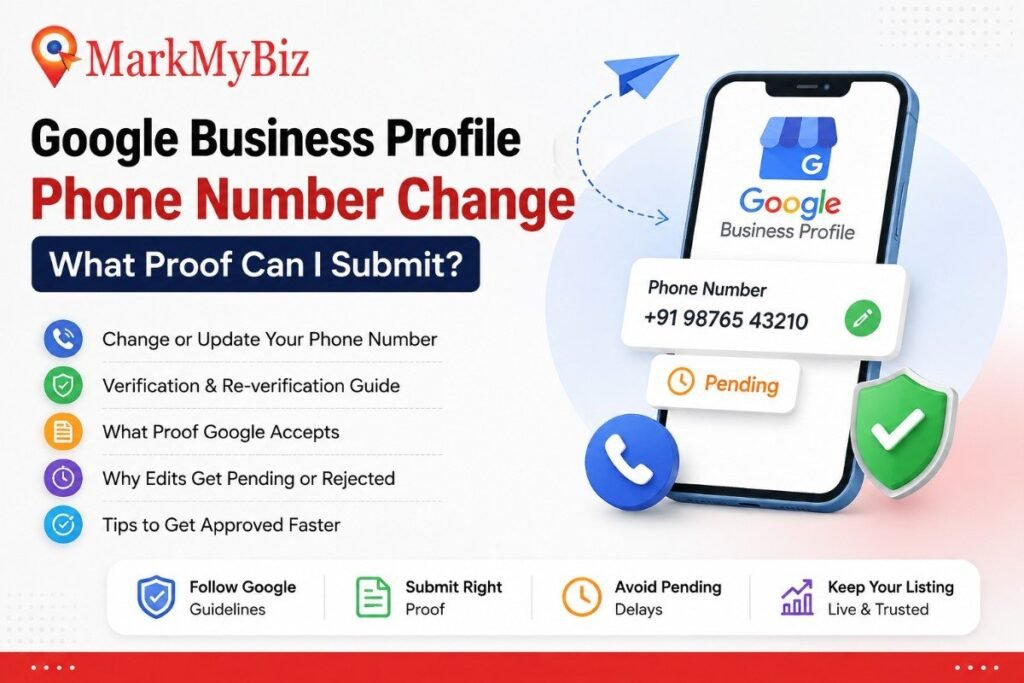
What Proof Can You Submit for a Google Business Profile Phone Number Change?

Here’s the direct answer, since this is what most people searching this actually want to know: Google does not publish a fixed, universal list of documents required for a phone number edit. What matters is whether you can show — through whatever evidence is available to you — that the number genuinely belongs to your business and that your listing otherwise reflects a real, operating location.
That’s a less satisfying answer than a checklist, so let’s get specific about what tends to carry weight in practice.
Business registration or licensing documents
If your case escalates to a point where Google is questioning the legitimacy of the whole listing, not just the number, having your registration certificate, trade license, or equivalent on hand matters. It won’t get uploaded through the standard phone-edit flow, but it becomes relevant if you end up in a verification conversation with Google support or a live video call, where Google Business Profile verification proof of this kind is genuinely useful. Ideally the document shows your registered business name and a matching address.
Business documents showing consistent contact information
Invoices, letterhead, supplier agreements, signed contracts — anything already circulating with your new number printed on it, next to your business name, strengthens your position. The logic is simple: a number that only exists inside the Business Profile dashboard looks thinner than one that’s already woven into how your business operates day to day.
Official business website and online presence
If your website lists the new number before or immediately after you change it on your profile, that’s one of the fastest wins available to most businesses. Google has stated that either a working phone number or a website representing the individual location can serve to connect a profile to a real address. Updating the site first, rather than treating it as an afterthought, tends to prevent the mismatch that causes review in the first place. If your domain is already verified through Google Search Console, some changes get approved close to instantly.
Proof used during video or live-call verification
If your phone number change lands you back in a full re-verification flow — not just a routine edit — Google’s video verification requirements describe what counts as acceptable proof for Google Business Profile changes at that stage: business name visible on your storefront or signage, your surroundings confirming the location, and proof of authorization such as unlocking a company vehicle, accessing internal business software, or showing non-sensitive business documents like a license with any private details covered up. A live video call with a Google support representative works the same way, just guided in real time instead of pre-recorded.
Other supporting evidence
Consistency across major directories, matching NAP (name, address, phone) details on citation sites, and carrier confirmation that a number is registered to your business can all add weight. None of these are officially guaranteed to resolve a hold — what helps genuinely varies by business type, category, and region — but consistency is the theme running through all of it.
Why Is My GBP Phone Number Not Approved?
When a GBP phone number is not approved, the cause usually falls into one of these buckets.
The number doesn’t meet Google’s phone-number guidelines
Shared switchboard numbers, premium-rate lines, and numbers that redirect elsewhere all fall outside what Google’s guidelines allow, regardless of how legitimate the underlying business is.
The number isn’t clearly associated with the business yet
Brand-new numbers with zero digital footprint are the most common cause of a hold. Google has nothing to cross-reference the number against.
Business information is inconsistent elsewhere
A mismatched name, category, or address across your website and directories can pull a phone number edit into a broader review, even though the number itself is perfectly valid.
A standard re-verification kicked in
Sometimes it’s simply timing. Multiple recent edits to the same profile can trigger Google’s standard re-verification step, which exists to protect the integrity of the listing — not to single out any one change.
There’s also a quieter, more technical cause worth knowing about: the number itself. Landline numbers and VOIP numbers sometimes can’t receive Google’s automated verification call or text at all, call forwarding can swallow the one-time code before it reaches you, and a number already linked to a different listing somewhere — even one you’d genuinely forgotten existed — will block a new claim outright. None of these show up as an obvious error message. They just sit there as “Pending” indefinitely, which is exactly why this is one of the more common issues local SEO agencies get asked to untangle.
What to Do If Your Phone Number Is Not Approved for Your Google Business Listing
Resubmitting the identical edit five times in a week rarely helps and can occasionally slow things down further. A more useful sequence:
- Get the new number live on your website first, if it isn’t already, ideally in the footer or contact page.
- Sweep your directory listings — Yelp, industry-specific directories, social profiles — and update the old number wherever it still appears.
- Double-check the rest of your profile for accuracy: name, address, category, hours. A phone number not approved for a Google business listing is sometimes just collateral damage from an unrelated inconsistency.
- Complete whichever verification method Google actually offers you — phone, text, email, video, live call, or postcard — rather than waiting it out.
- Reach out to Google Business Profile support if the hold outlasts the normal review window. Support can sometimes tell you exactly what triggered the flag.
One more thing worth knowing: avoid stacking unrelated edits on top of a pending phone number change. Editing your name and hours while the number is still under review just gives the system more variables to reconcile at once.
When Does Google Business Profile Re-Verification Happen?
Google Business Profile re-verification isn’t triggered by every edit — most changes go through without it. Based on Google’s own documentation, it tends to show up when:
- The “Get verified” button resurfaces on a profile that was previously verified
- Google asks for more information because business details, including contact info, were recently changed
- An earlier verification attempt — a video, for instance — wasn’t accepted, and a “Review issues” prompt appears
When it does trigger, Google presents whichever method is available for that specific profile at that moment — the options aren’t something you get to pick from a menu. After you complete the steps, Google states that review can take up to five business days, sometimes faster if your site is already tied to Search Console.
How to Make a Phone Number Change Easier to Verify
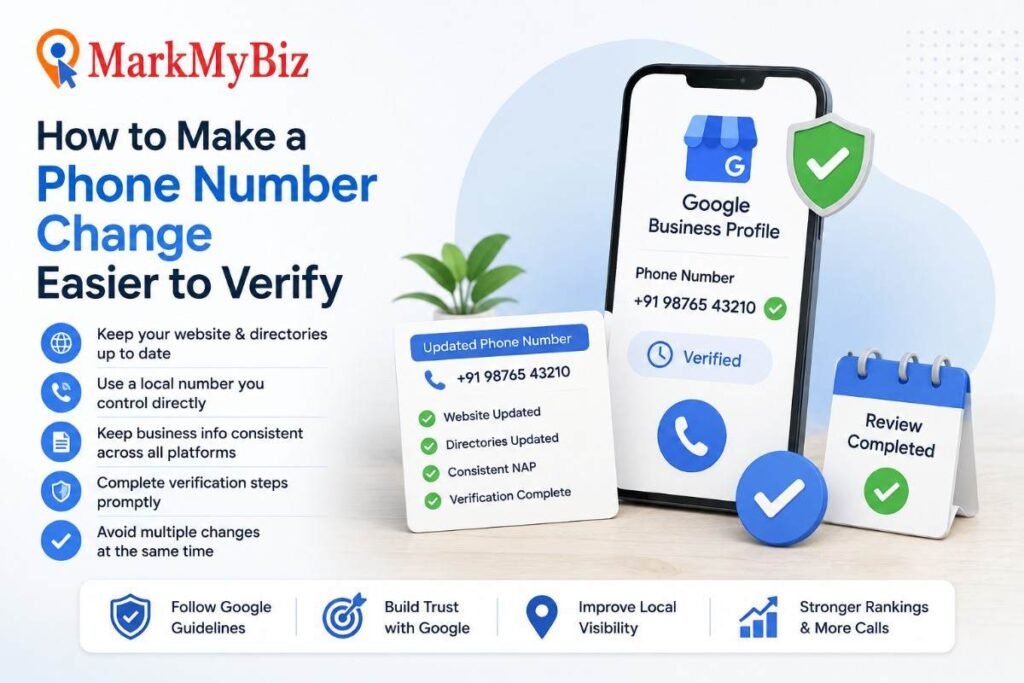
A few habits genuinely reduce friction, based on what tends to hold up under review:
- Change everything roughly together. Website, directories, and profile — don’t leave weeks between them.
- Use a number your business actually controls. Third-party answering services and temporary numbers invite more scrutiny.
- Go local where it’s realistic. Google’s guidance favors a local number over a central call-center line whenever that’s a genuine option.
- Leave the rest of the profile alone during the review window. Don’t touch your name, address, or category while a number edit is pending.
- Check for stray duplicate listings. An old, unmanaged duplicate still showing the previous number undermines the new one.
- Give it the stated time before resubmitting. Jumping the gun rarely speeds anything up.
Taken together, this isn’t a formula that guarantees approval — it’s a reflection of what Google’s systems are actually trying to confirm: that your business is consistently, verifiably itself across the places people find it.
When It’s Worth Bringing in Help
Most phone number edits resolve on their own within a few business days, and there’s no need to overthink a routine change. But if a “Pending” tag has sat there for two or three weeks, or the “Get verified” button keeps reappearing no matter what you try, the underlying cause is usually specific to your number or your listing history — and it helps to have someone actually look at the account rather than guess from a generic troubleshooting list.
This is a large part of what our team at MarkMyBiz handles day to day for local businesses. Our Google Business Profile services include diagnosing exactly this kind of stuck Google Profile Phone Number Verification: checking whether the new number is a landline or VOIP number that can’t receive Google’s automated call or text, confirming it isn’t quietly tied to a stray listing somewhere else, catching a mismatched country code, and switching to a verification route that will actually work instead of retrying the one that’s already failing. Once we can see the specific cause, it’s usually a two-to-three-day fix rather than an open-ended wait. If the profile is also flagged as a duplicate or was suspended along the way, we handle that reinstatement process too.
It’s also worth remembering that a phone number is only one piece of what makes a listing perform. If yours has been sitting half-finished for a while, it’s usually worth a broader look — our local SEO work covers the categories, photos, service descriptions, and review activity that decide whether a verified profile actually shows up in the map pack once the number issue is sorted. We work with businesses across Dehradun and Uttarakhand on exactly this kind of cleanup, and a free audit is usually enough to tell you what’s actually broken before you commit to anything.
Frequently Asked Questions
How do I change the phone number on my Google Business Profile?
Go to business.google.com, open Edit profile, select Contact, use the edit icon next to your phone number, enter the new one, and save. You’ll usually see a brief “Pending” status while it’s reviewed.
Why is my Google Business Profile phone number not approved?
Typically it’s one of four things: the number doesn’t meet Google’s guidelines, it has no existing connection to your business online, your business information is inconsistent elsewhere, or recent edits triggered a standard re-verification check. A landline or VOIP number, or a number already tied to another listing, is a common technical culprit too.
What proof does Google need for a phone number change?
There’s no single mandated document. What helps is consistent evidence — your website, directory listings, or business registration details — that ties the number clearly to your real business.
Can I use a mobile number on Google Business Profile?
Yes, mobile and landline numbers are both accepted as primary or additional numbers. Fax numbers are not.
How long does a Google Business Profile phone number change take?
Simple edits often clear within a few business days. If re-verification is required, Google states review can take up to five business days after you complete the steps.
Can Google ask me to re-verify my Business Profile?
Yes — most often after the “Get verified” button reappears, after a request for more information following recent edits, or after a previous verification attempt wasn’t accepted.
What should I do if Google rejects my phone number update?
Update your website and directories first, confirm the rest of your profile is accurate, complete whatever verification method Google offers, and contact support if the hold continues past the normal review window. If it drags on well beyond that, it’s worth getting someone to look at what’s specifically causing the block.
Conclusion
A Google Business Profile phone number change doesn’t need to feel like guesswork, even without a published checklist from Google. What tends to move things along is plain consistency — the number showing up the same way on your website, your directories, and your profile, backed by whatever documentation genuinely reflects your business when a case escalates to a fuller review. If your edit is stuck, resist the urge to keep resubmitting. Fix the mismatch, complete the verification method Google actually offers you, and give the review window the time Google says it needs. And if it’s been stuck well past that window, get in touch with MarkMyBiz — we deal with this specific problem often enough to usually spot the cause quickly.